Screen recording checklist
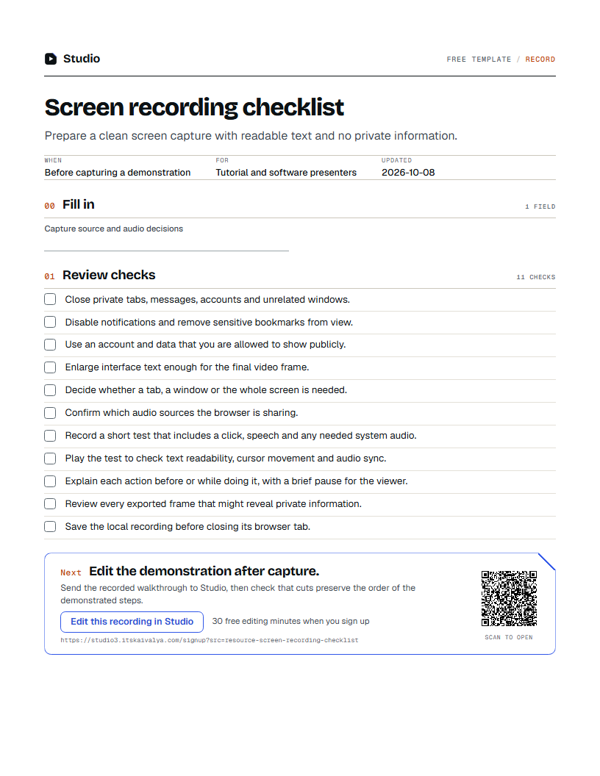
Run this screen recording checklist before capturing a demo or tutorial. The 11 checks cover what to close, which capture source to use, and how to test audio and speech. For camera sessions, see the recording checklist. Studio includes a screen recorder among its free video tools.
- WhenBefore capturing a demonstration
- ForTutorial and software presenters
- Inside11 checks · 1 field
PDF, A4, 1 page · No email needed
00:10What's inside
Tick it off as you go.
Your ticks stay in this browser, so you can close the page and come back to it.
00Fill in
On the printout or in the Word version.
- Capture source and audio decisions
01Review checks0/11
00:20Next on your list
See all templates
More free templates.
-
35 checks · 7 fields
Podcast and video recording checklist
Check the room, framing, microphone and first take before recording the full session. -
9 columns
B-roll shot list
Tie each extra shot to a spoken point so visuals explain rather than decorate. -
10 checks · 2 fields
Raw footage handoff checklist
Send the source files and editing decisions together so the next person can continue.
00:30Your next step
Start with your recording
Edit this recording in Studio
30 free minutes · No card
Edit the demonstration after capture.
Send the recorded walkthrough to Studio, then check that cuts preserve the order of the demonstrated steps.
Free tool for this step: Screen recorder with webcam