How to Check Google Ads Conversion Tracking
Read the conversion status in Goals > Conversions > Summary, then confirm the tag fires with Google Tag Assistant. Place one test conversion in a private browser window to verify the full path. Then match Google Ads conversions to real store orders for the same dates.
On this page
Three Checks to Run Inside Google Ads
Three checks show whether your Google Ads tracking is set up and firing. Open Goals > Conversions > Summary, run Tag Assistant on your confirmation page, and place one test conversion. All three together confirm the tag is live.
Check 1: Read the Conversion Status
Go to Goals > Conversions > Summary in Google Ads. The Status column shows how each conversion action is doing. Click any status to see its alerts. A green "Active" status means the tag is working as intended, per Google Ads Help.
Each conversion action in the account has its own row. Find the action named for purchases.
Pass: The Status column shows "Active" for the purchase conversion action, with no alerts.
Check 2: Confirm the Tag Fires
Google Tag Assistant shows whether the Google Ads conversion tag fires on a page. Open Tag Assistant and load the order confirmation page — the page shown after a completed purchase. With Google Tag Manager, Preview mode shows the same result.
The tag should fire once per confirmation page load. If Tag Assistant shows the tag firing on the home page or a product page, the trigger is pointing to the wrong page.
Pass: Tag Assistant or Tag Manager Preview mode shows the Google Ads conversion tag firing on the order confirmation page.
Check 3: Place a Test Conversion
Open the site in a private browser window and complete the action — a form or a test order. Verified conversions can take some hours to appear in Google Ads. Allow up to a day before deciding a test conversion failed.
A private window clears session cookies, so the tag fires fresh. Use the same device and browser that most of the site's customers use.
Pass: The test conversion appears in Google Ads within a day of completing the action.
Match Google Ads Conversions to Real Store Orders
An "Active" status proves the tag fires. Only a match against real store orders proves it counts the right thing. Pick the same date range in Google Ads and in the store, then compare the numbers.
- Pick the same date range in Google Ads and in the store or analytics.
- Compare the number of purchases Google Ads reports to the number of orders in the store.
- Compare the total purchase value in Google Ads to the store's total revenue for that period.
- Look for the gap.
Pass: The counts and values sit close, with Google Ads a little lower or equal. People buy without clicking an ad, so Google Ads showing fewer conversions than the store is normal.
At Mishmash Naturals, 2 of 19 campaigns were live and no purchase was tracked correctly. Measurement came first. On 1 August 2026, the live campaigns returned 3.56x ROAS against a 2.89x break-even, joined to Google Analytics sales.
Use this step to check ad-reported ROAS against your real store sales.
Signs That Conversion Tracking Is Wrong
Four patterns in your data point to a tracking problem. Each one is worth investigating before drawing conclusions from the numbers in Google Ads.
- Zero conversions in Google Ads while the store has orders. The conversion tag may fire on the wrong page, or the conversion action may point to the wrong event — such as a page view counted as a purchase.
- More conversions than store orders. A page view or button click counted as a sale is one cause.
- The same order counted twice. A duplicate tag on the confirmation page can fire the conversion action twice for one purchase.
- A purchase value far from a normal order value. The value parameter in the tag may carry a fixed number, or the variable it reads may return the wrong figure.
If your store is on Shopify, follow the step-by-step checks in Shopify Google Ads conversion tracking not working to find and fix the cause.
A Check Log to Copy and Keep
Copy this log and use it each time you check tracking. Run it again after any change to the site, the tags, or the ads account.
Google Ads conversion tracking check (copy this)

[ ] Status read in Goals > Conversions > Summary
[ ] Tag fires confirmed with Tag Assistant or Tag Manager Preview
[ ] Test conversion placed and seen in Google Ads
[ ] Date range picked: ____
[ ] Google Ads purchases: ____ / Store orders: ____
[ ] Google Ads value: $____ / Store revenue: $____
[ ] Duplicates found: ____
[ ] Purchase value close to a real order: ____
[ ] Date checked: ____
What the Ads Audit Checks Here
Ads Audit starts with tracking, because every later number depends on it. The audit is free and delivers a 5-page ROAS report built from the brand's own account data.
On Meta, campaigns whose purchase value per order sits far above the brand's normal order value are flagged. Their sales count as zero everywhere in the report, so every Meta ROAS figure stays on the safe side. The purchase value the pixel sends needs fixing before any campaign can optimise for value.
On Google, sales are counted on the purchase conversion action or actions set for the audit. The access is read-only. It reads campaigns, spend, results and conversions. The owner removes it from the same place it was added, at any time.
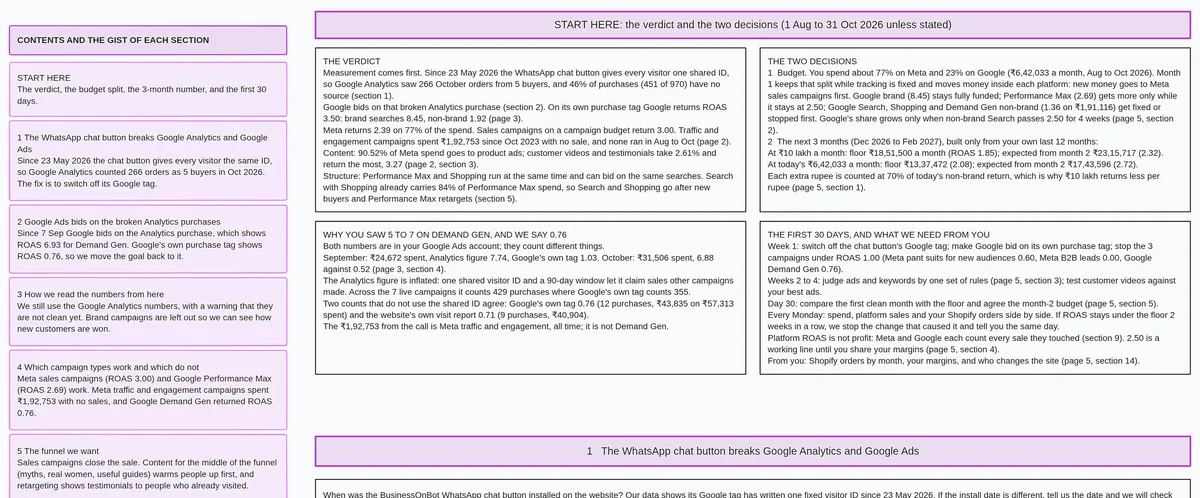
Get a free ads audit that starts with tracking.
If your tracking checks out, why Google Ads clicks bring no sales covers what to look at next.
Limits of Checking by Hand
Three limits apply to any check done inside Google Ads. Each one matters when the numbers drive budget decisions.
Google Ads counts its own conversions. When the same sale appears in another channel's reports, Google Ads cannot tell which channel deserves credit. Both channels can claim the same sale, and totals across channels can exceed actual sales.
A test order proves one path on one device. A test on a desktop browser covers only the desktop checkout path. Other browsers, devices, and checkout flows each need their own verification.
Values in Meta can be wrong too. A wrong pixel value in Meta affects Meta ROAS in the same way a misconfigured tag in Google affects Google ROAS. The match-to-orders step in the section above catches problems on both platforms.
Questions About Google Ads Conversion Tracking
The checks above cover what to run. These questions cover what comes up after.
How long does a test conversion take to show in Google Ads?
Verified conversions can take some hours to appear in Google Ads. Allow up to a day before deciding a test conversion failed. After a day, review Tag Assistant logs to confirm the tag fired during the test.
Why do Google Ads and Google Analytics show different numbers?
Google Ads can report a conversion on the date of the ad click. Because of this, the most recent days in a Google Ads report can show lower counts than they will end up, as clicks from those days can still lead to later conversions. This is one reason the two platforms show different totals for the same date range.
Do I need Google Tag Manager to check tracking?
Google Tag Manager is one option. Google Tag Assistant works directly on the page and shows whether the conversion tag fires. With Google Tag Manager, Preview mode shows the same result. Either tool is enough to confirm the tag fires on the right page.
What should I do if the status shows a problem?
Click the status in Goals > Conversions > Summary to see the alerts for that conversion action. Google Ads Help offers a conversion tracking troubleshooter. Work through the troubleshooter before changing the tag, so the fix addresses the right problem.
Ads Audit checks tracking first and delivers a 5-page ROAS report, free. Enter your Google Ads customer ID at any time to get started.